It Works on My Machine… But Not on Yours.” Isn’t Docker Supposed to Fix That?
Docker was supposed to solve the classic “It works on my machine.” But what happens when Docker itself becomes the problem? A weekend@inovus session turned into hours of Docker troubleshooting, accidental container deletion, permission issues, Discord music bot chaos, and huge learning experience.

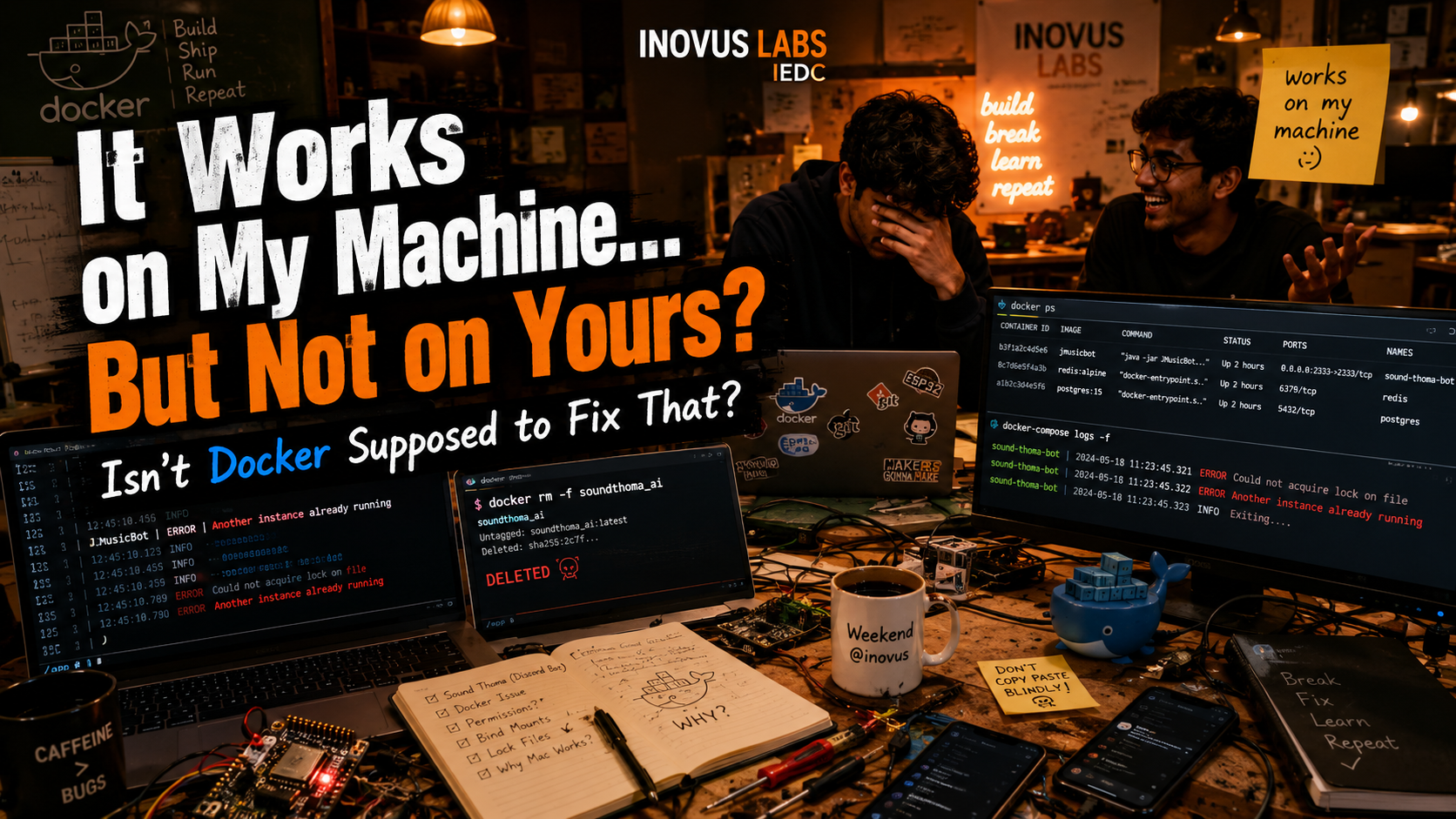
<span style="white-space: pre-wrap;">Image Genereated by AI</span>
Published and syndicated from the Inovus Labs engineering publication by Amith Abey Stephen.
“It works on my machine.”
“Not on yours.”
“But why?”
Let’s talk Docker. Usually this is the exact line people say while introducing Docker.
But this time…
we were the victims of that exact problem but inside docker😭. The Docker setup worked perfectly on Arjun Krishna’s Mac. But when we tried running the exact same thing on our local systems and servers…
Errors. Pure chaos.
For those who don’t know what Docker is, here’s the simplest explanation:
Normally when apps are moved from one computer to another, things may break because:
- Some files are missing
- Settings are different
- Software versions don’t match
- Dependencies change
And suddenly:
“Bro it works on my machine…”
Docker solves this by packing the application and everything it needs into one isolated environment called a container.
So:
- Your app works on your laptop
- Works on another person’s laptop
- Works on a server
- Works almost everywhere the same way
without those “works on my machine” problems.
If you wanna understand Docker in a much simpler and beginner-friendly way, check out our blog: Docker Simplified – INOVUS LABS Blog
Now coming back to the story…
Firday night around 11:45 PM, Arjun Krishna randomly called.
We were casually talking and planning for tomorrow since it was weekend@inovus and he was coming over.
As usual, me and Sane were super excited because everyone was gonna be there.
And this time, we had Nithin Daniel too. Sane was in another level of excitement because Arjun chettan was bringing some old phones for him.
Basically a small spoiler for a new blog which will probably come soon 👀
He was super excited because he could finally burn his head trying to convert those phones into servers.
Meanwhile, I was in a mood to restore and retrieve everything. So during the call, I mentioned a few issues we had been facing:
- New website stuff
- Firebase asset problems
- And Sound Thoma — the Discord music bot that lets people play songs of their choice ad-free inside our Discord server
Those were the things floating in my mind. After talking for some time, we ended the call and I just went to sleep.
I reached Inovus early morning as usual. Okay not that early. But yeah… around 8:30 AM. Came in. Did some organizing. Cleaned things up a bit because everyone would be here and as usual the room was a mess.
But not a mess mess.
Every maker lab is always a mess. Not because people are lazy. But because things are always being built there. That’s the beauty of it.
Wires somewhere.
ESPs somewhere.
Half-open laptops.
Chargers with unknown owners.
Random screwdrivers.
That kind of mess.
Honestly I wasn’t in the mood to work on anything initially. But after some time I slowly got back into myself and decided to check the Sound Thoma issue. From what Sane and Arjun chettan had told me earlier, whenever they tried to spin up the Docker container, it kept saying:
“Another instance is already running”
But the funny part was… There wasn’t another instance running.
So the temporary easy solution we had was:
“Just replace the Discord bot token.”
And yeah that would technically fix it. But that’s not practical at all. Like imagine changing your hosting machine or environment and having to regenerate tokens every single time.
That’s not a real fix. That’s just escaping the problem. So we were like nah… let’s properly debug this thing. I copied the issue into ChatGPT along with old logs, previous attempts, history, and everything we had already tried.
It first suggested the usual things:
- Ensure container isn’t running
- Clear temp files
- Check logs
- Restart Docker
Did all that. Still broken. Then it started giving deeper debugging commands.
Checking logs.
Checking file locks.
Changing temp directories.
Trying different configs.
And at one point, while being frustrated, I blindly copy-pasted a command.
And boom.
I accidentally deleted another Docker container.
A completely different project.
Our local AI model. 💀
I just looked at Sane and said:
“Broi… njn cheruthayit oru container delete akki…”
(“Bro… I slightly deleted a container…”)
And immediately he was like:
“Command vayikathe ano run cheyyunne?”
(“Are you running commands without even reading them?”)
He told Arjun chettan too.
Arjun chettan just looked at me like:
“Subash…”
😭
For a few seconds I genuinely thought I messed things up badly. But after thinking for a bit, he said:
“It’s fine. We can spin it up again after we settle this.”
And honestly? That moment itself felt very Inovus.
Nobody screaming.
Nobody blaming.
Just:
“Okay. Broke it. Cool. We’ll rebuild it.”
And weirdly enough, that made me more interested in learning what was actually happening. Because when they originally set up the local AI stuff, I had told Sane:
“Write a proper blog on this or else I’ll have to manually try things myself to understand what’s happening.”
And now by accidentally blowing it up… I basically forced myself into learning it.
The debugging continued. ChatGPT suggested:
- Updating Docker configs
- Fixing version mismatches
- Cleaning temp files
- Library updates
- Rebuilding containers
Then finally it said:
Maybe the core issue is inside the JAR itself.
Let’s decompile and debug.
Tried running commands. No Java found. Installed Java. Ran the bot outside Docker. And guess what?
IT WORKED.
THE BOT STARTED RUNNING PERFECTLY.
No “another instance running.”
No crash.
No issue.
Sound Thoma was alive again. And showing that to Arjun chettan honestly felt satisfying because this issue had been annoying us for days. Now the bot was finally running properly on our local server, that we setup at inovus.
At that moment I was like:
“Okay cool. Step 1 completed.
Now let’s find what exactly is breaking inside Docker.”
So I took a small break. Came back. Deleted the modified files because at that point I had changed so many things that I forgot what I had even edited.
Copied fresh files again. Started debugging from scratch. And this time I simply pasted the Dockerfile code into ChatGPT. And suddenly it replied something like:
“Haaaaa… found the problem.”
And honestly this was the best part. The culprit was this line:
USER botuserCombined with bind-mounted files like:
volumes:
  - ./config.txt:/app/config.txt
  - ./serversettings.json:/app/serversettings.json
  - ./JMusicBot-0.6.2.jar:/app/JMusicBot-0.6.2.jar
What was happening:
- Docker container was running as
botuser - Mounted files belonged to the host machine user
- JMusicBot tried creating file locks
- Permission mismatch caused lock failure
And JMusicBot interpreted that failure as:
“Another instance already running”
Which means…
The issue was never another instance. The issue was file permissions.
In simple words: We created another user called botuser inside Docker for security and execution. But that user didn’t have proper permissions to access files mounted from the local system. So the bot failed while trying to lock files and might have used a fallback detail which might be of the developerr guy,wherein his project is already running. Once we removed that custom user setup… Everything worked perfectly. And finally… Sound Thoma came back online 🎶
If you guys also wanna vibe with ad-free music while hanging out with us, join the server 👀 Join.inovuslabs.org
But more than fixing the bot… This whole thing taught me something important. The best way to learn something is by trying it out yourself. Because mistakes teach you things you’ll never forget.
Today I learned:
- Docker commands
- Container debugging
- File permission issues
- Bind mounts
- Why blindly copy-pasting commands is dangerous 💀
And honestly?
Breaking things is sometimes part of building things. So if you also wanna try out random tech stuff…
Just go for it.
You literally have AI tools like ChatGPT to help you explore and debug things.
The only important thing is:
Don’t blindly copy-paste. Understand what you’re doing. Otherwise you might accidentally delete another project like I did 😭
Anyway… That’s it for now. Let me go bring back that local AI model container which I accidentally deleted
Enjoyed this reflection?
Read community comments, responses, and join the discussion directly on Inovus Labs.
Discuss on Inovus Labs Blog